SmartGuide main features

SmartGuide contains a series of inter-related modules that greatly accelerate building applications. Here's an overview of its main features.

Field library

You can define a field once and use it in any number of Smartlets. It's also possible to modify the characteristics of such a field in one Smartlet without impacting the global definition of a field. For example, a field could be mandatory in one Smartlet and optional in another. You can also share the value of a field across multiple Smartlets to avoid end users having to re-key the same information.

Advanced validations

Many types of validations are available by default, allowing to perform syntaxic validations in 1 click. The default validations vary by field type. When creating a text box field for example, you can indicate the minimum and maximum lengths, select from pre-defined validations (numeric, alphabetical, alphanumerical, email address, phone or fax number, postal code, etc.). You can also create your own reusable validation rules. Furthermore, SmartGuide Designer allows performing semantic validations to ensure data logic.

Data collections

SmartGuide Designer allows creating lists of values that can be reused across multiple fields. Instead of creating lists from scratch when creating a new field, you can simply import an existing list or a subset of it. If you have multiple Smartlets that offer a country select menu for example, you only have to define the list of countries once.

XML files

XML files can be used to populate the value of fields either statically or dynamically. This functionality allows to dynamically update the values of a field at run time with data contained in an RSS feed for example. When the field is shown to the end user, the latest version will be retrieved to ensure the information is up-to-date without having to manually update the field. SmartGuide can also retrieve XML files that are protected by username and password.

Web services

SmartGuide Designer natively supports web services. To add a web service connection, only a WSDL file or its location is required. The list of port type, operations and other pertinent information is then automatically extracted. User-friendly interfaces then allow mapping web service parameters and results to Smartlet fields.

Extension functions

Java and .NET developers can write extension functions to add custom functionalities like setting up autoresponders, performing a series of advanced manipulations on a field, integrating with a database, LDAP or back-end system, etc. A simple configuration file then allows these extension functions to be used in the same manner as web services, therefore making them available to non-technical personnel.

Data and knowledge bases

SmartGuide contains a module called SmartSearch™ that allows creating online data and knowledge bases. The rules engine then allows creating filters and relevance rules in order to present only information that is 100% relevant to an end user. There's no limit to the number or types of data that can be created. The same module can therefore be used to create lists of formalities, activities, people, locations, etc.

Dynamic PDFs

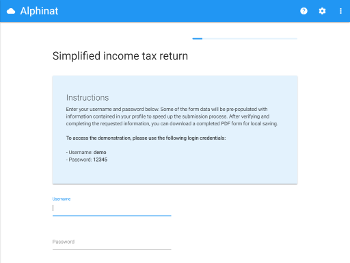
The SmartForms™ component allows dynamically populating PDF forms with data collected by a Smartlet. You no longer have to use the same form to collect and store data. This allows you to collect data in a user-friendly manner while still displaying the completed form in a PDF for local saving.

Rules engine

SmartGuide Designer includes a rules engine that allows non-technical workers to vary a field's value, perform different validations under varying circumstances, configure visibility rules of a field, perform conditional page branchings, determine the relevance of a result or create variable mappings between Smartlet fields and PDF fields.

Next steps